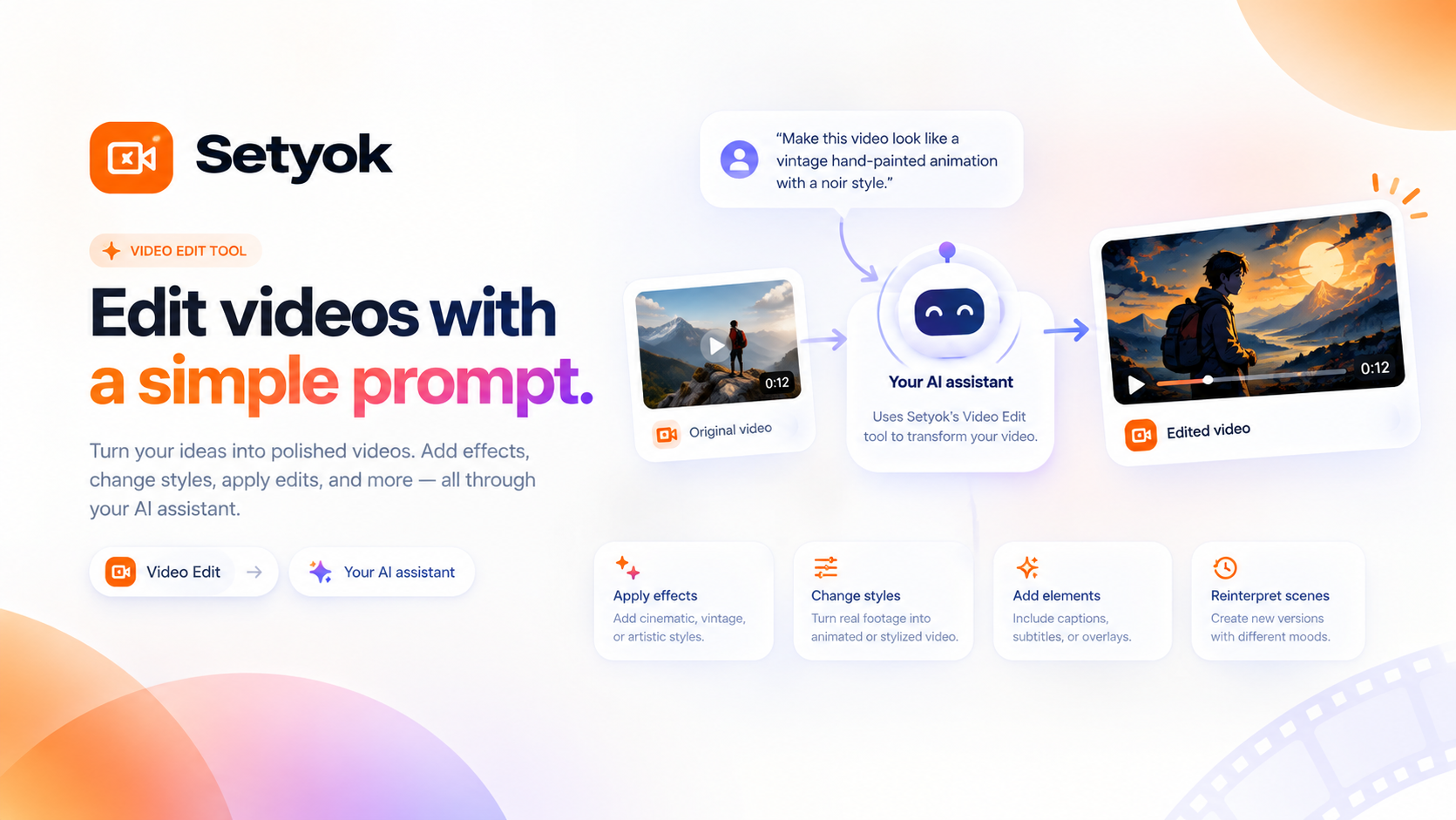
Edit and transform existing videos with a text prompt. Change styles, apply effects, or reinterpret a scene using FLUX Video Edit.
Add Video Edit to your AI assistant with one click. No code, no setup.
Or connect manually with any MCP-compatible assistant
https://setyok.com/video-edit/mcp
What it can do
Edit Video
Transform a video with a text prompt, change style, apply effects, or reinterpret the scene. Returns a job_id, use check_video_edit_status to get the result (450 credits)
Check Video Edit Status
Check the status of a video edit job. Returns the edited video URL when completed. Call every 15-30 seconds (0 credits)
Edit videos with a text prompt using FLUX Video Edit
The Video Edit MCP tool lets your AI transform existing video clips using natural language. Describe the style or effect you want, provide a video URL, and get back an edited version.
Powered by FLUX Video Edit from Black Forest Labs, the model understands the motion and structure of the source video and reinterprets it according to your prompt.
What you can do
- Style transfer: convert a realistic video into an illustrated, painted, or animated look
- Visual effects: apply cinematic grades, vintage filters, or artistic treatments
- Scene reinterpretation: describe a new visual direction and let the model transform the footage
Real examples
- "Make it look like a vintage hand-painted animation"
- "Apply a noir black and white cinematic look"
- "Turn this into a watercolor illustration style"
- "Make it look like it was shot on 16mm film"
- "Apply a vivid neon cyberpunk color grade"
How it works
- Submit an edit job with your video URL and a prompt describing the transformation
- The model processes the video and returns a job ID
- Poll with check_video_edit_status until the edited video is ready
- Your AI returns a ready-to-use video link
Compatible AI assistants
- Claude (claude.ai and Claude Desktop)
- ChatGPT with custom connectors
- Cursor, Windsurf, and AI-powered editors
- Any custom agent or workflow built on MCP
Getting started
- Copy your endpoint URL and token from this page
- Add the endpoint to your AI assistant under Settings or MCP servers
- Ask your AI: "Edit this video to look like a hand-painted animation"
New Setyok accounts start with 100 free credits.
Add Video Edit to your AI assistant with one click. No code, no setup.
Or connect manually with any MCP-compatible assistant
https://setyok.com/video-edit/mcp
Other tools
Media Editor
Edit, convert, and transform audio and video files using FFmpeg. Stitch clips, overlay tracks, crop, cut, extract frames, detect silences, and more.
Video Generation
Generate videos from text prompts or reference images using Google Veo 3.1. Choose resolution and aspect ratio, or animate from a first or last frame.
Audio Generation
Convert text to natural-sounding speech using ElevenLabs. Choose from thousands of voices, clone your own voice, and get a ready-to-use audio link.
Image Generation
Generate stunning images from text prompts using GPT Image 2. Choose your quality level or generate with reference images for editing and style transfer.
Music Generation
Generate original music from a text prompt. Full songs with structure or short 30-second clips, describe what you want and your AI composes it.
FAQ
Use cases
- Transform a raw video clip into a hand-painted animation style
- Apply a cinematic color grade to a product video
- Restyle a video to match a specific visual aesthetic
- Turn a realistic video into an illustrated or cartoon version
- Apply a vintage film look to modern footage
- Change the visual style of a scene without reshooting
Keywords