Run your full ad operation from your AI assistant. Manage Google and Meta campaigns, spy on competitors, generate creatives, and edit media without leaving the chat.
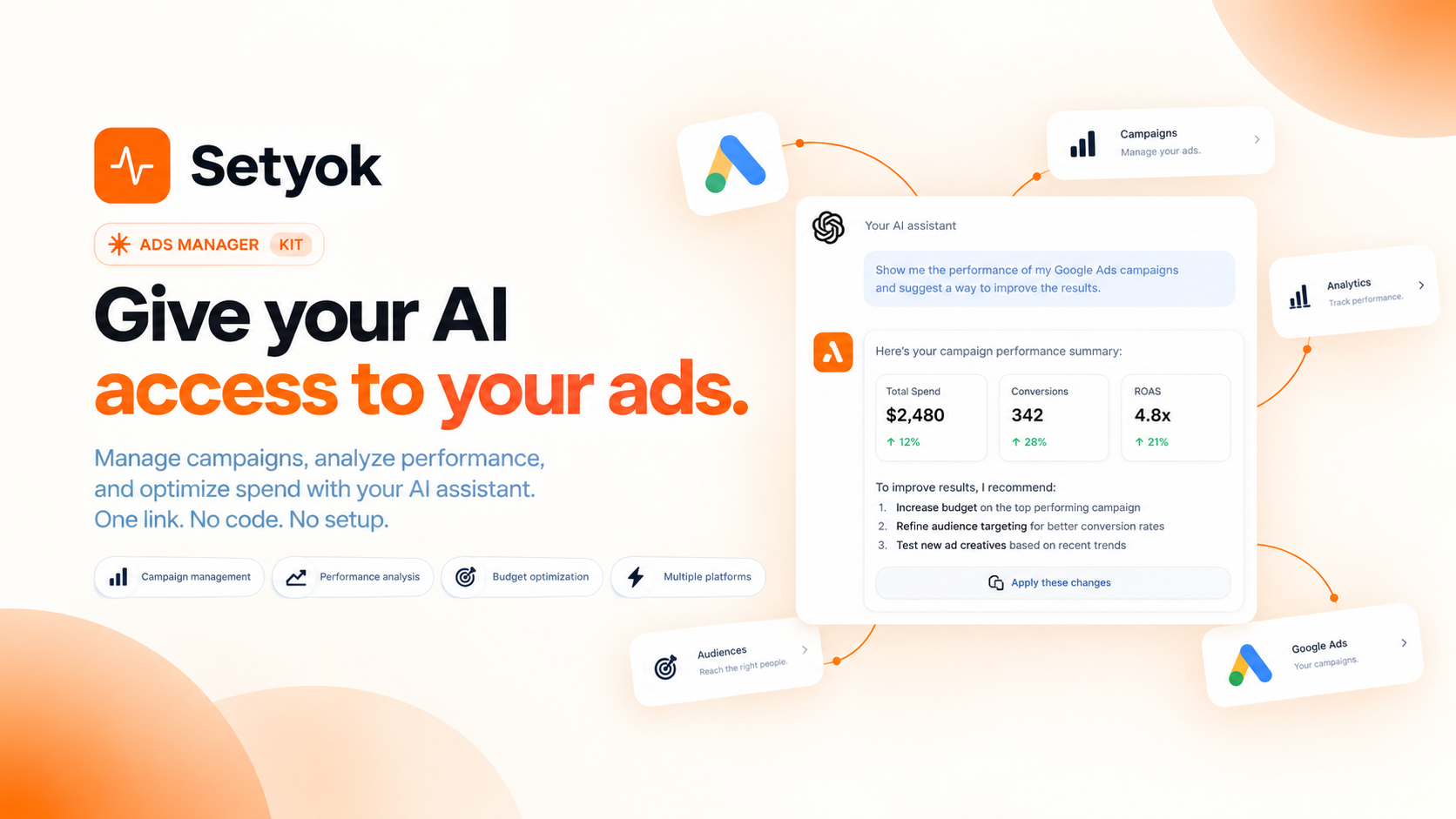
Add Ads Manager to your AI assistant with one click. No code, no setup.
Or connect manually with any MCP-compatible assistant
https://setyok.com/ads-manager/mcp
Included tools
Google Ads
56 capabilities
Meta Ads
34 capabilities
TikTok Ads
21 capabilities
Ad Insight
4 capabilities
Google Analytics
8 capabilities
Google Search Console
9 capabilities
YouTube
10 capabilities
Video Generation
6 capabilities
Video Edit
2 capabilities
Image Generation
5 capabilities
Audio Generation
7 capabilities
Music Generation
2 capabilities
Media Editor
18 capabilities
Lipsync
3 capabilities
What it can do
Skill Readme
Get guidance on how to use produce the best output with this kit and its toos. Read this before using the tools or planning anything
Google-Ads List Accounts
List all Google Ads customer accounts accessible with the connected login
Google-Ads Get Account Info
Get details about a Google Ads account: name, currency, time zone, status
Google-Ads List Campaigns
List campaigns in a Google Ads account with status and basic settings
Google-Ads Get Campaign Performance
Get performance metrics for campaigns: impressions, clicks, CTR, cost, conversions for a date range
Google-Ads Get Ad Group Performance
Get performance metrics for ad groups within a campaign
Google-Ads Get Keyword Performance
Get performance metrics for keywords in an ad group or campaign
Google-Ads Get Keyword Ideas
Generate keyword ideas from seed keywords or a URL for a given location and language
Google-Ads Pause Campaign
Pause a campaign to stop it from running and spending budget
Google-Ads Enable Campaign
Enable a paused campaign to resume running
Google-Ads Update Campaign Budget
Update the daily budget for a campaign
Google-Ads Get Recommendations
Get Google's automated optimization recommendations for an account
Google-Ads Apply Recommendation
Apply one of Google's automated recommendations to the account
Google-Ads Dismiss Recommendation
Dismiss one of Google's automated recommendations so it no longer appears
Google-Ads Update Campaign Name
Rename a campaign
Google-Ads Update Campaign Bidding
Change the bidding strategy for a campaign (target CPA, target ROAS, or manual CPC)
Google-Ads Pause Ad Group
Pause an ad group to stop its ads from running
Google-Ads Enable Ad Group
Enable a paused ad group to resume running its ads
Google-Ads Add Keywords
Add keywords to an ad group with match type and optional max CPC bid
Google-Ads Pause Keyword
Pause a keyword so it stops triggering ads
Google-Ads Enable Keyword
Enable a paused keyword to resume triggering ads
Google-Ads Update Keyword Bid
Update the max CPC bid for a keyword
Google-Ads Remove Keyword
Permanently remove a keyword from an ad group
Google-Ads List Ads
List all ads in an ad group with status and approval state
Google-Ads Pause Ad
Pause an individual ad
Google-Ads Enable Ad
Enable a paused ad to resume running
Google-Ads Create Responsive Search Ad
Create a new Responsive Search Ad (RSA) in an ad group with headlines, descriptions, and final URL
Google-Ads Get Search Terms Report
Get the search terms report showing actual queries that triggered your ads
Google-Ads Get Daily Spend
Get day-by-day cost breakdown for a campaign or the whole account
Google-Ads Get Geographic Performance
Get campaign performance broken down by country or region
Google-Ads Get Device Performance
Get campaign performance broken down by device (mobile, desktop, tablet)
Google-Ads List Assets
List uploaded image and video assets in the account
Google-Ads Upload Image Asset
Upload an image to Google Ads as a reusable asset. Provide either a public image URL or base64-encoded image data.
Google-Ads Add Youtube Video Asset
Register a YouTube video as a Google Ads asset by YouTube video ID so it can be used in video ads
Google-Ads Create Responsive Display Ad
Create a Responsive Display Ad using previously uploaded image assets. Use upload_image_asset first to get asset IDs.
Google-Ads Create Video Ad
Create a video ad using a YouTube video asset. Use add_youtube_video_asset first to register the video.
Google-Ads Create Campaign
Create a new Search, Display, or Video campaign with a daily budget and bidding strategy
Google-Ads Create Ad Group
Create a new ad group inside a campaign
Google-Ads List Negative Keywords
List negative keywords at the campaign or ad group level
Google-Ads Add Negative Keywords
Add negative keywords to a campaign or ad group to block ads from showing on unwanted queries
Google-Ads Get Auction Insights
Get auction insights showing how your ads compare against competitors in the same auctions. Requires a campaign_id.
Google-Ads List Conversion Actions
List all conversion actions (goals) configured in the account
Google-Ads Create Conversion Action
Create a new conversion action to track a goal such as a purchase, signup, or page visit
Google-Ads Get Ad Schedule
Get the ad schedule (dayparting) for a campaign showing which days and hours ads run
Google-Ads Set Ad Schedule
Set ad scheduling (dayparting) for a campaign, restricting when ads run and optionally adjusting bids by time slot
Google-Ads Create Sitelink Asset
Create a sitelink (an extra link shown below the ad) and attach it to a campaign
Google-Ads Create Callout Asset
Create callout snippets (e.g. "Free Shipping", "24/7 Support") and attach them to a campaign
Google-Ads Create Call Asset
Create a phone number asset shown with the ad and attach it to a campaign
Google-Ads List Campaign Assets
List all assets (sitelinks, callouts, calls, images) attached to a campaign
Google-Ads List User Lists
List remarketing audiences (user lists) in the account
Google-Ads Create User List
Create a remarketing audience list for website visitors or customers
Google-Ads Add Audience Targeting
Add a remarketing audience as targeting to an ad group
Google-Ads List Labels
List all labels in the account
Google-Ads Create Label
Create a new label to organize campaigns, ad groups, or keywords
Google-Ads Apply Label To Campaign
Apply a label to one or more campaigns
Google-Ads List Billing Setups
List billing setups for the account (needed to retrieve invoices)
Google-Ads List Invoices
List billing invoices for a given month. Use list_billing_setups first to get the billing_setup_id.
Get My Profile
Get the connected Meta user profile (name, email, id)
List Ad Accounts
List all Meta ad accounts accessible to the connected user
List Pages
List Facebook pages managed by the connected user (needed for some ad formats)
List Campaigns
List campaigns in a Meta ad account
Get Campaign
Get details of a specific Meta campaign
Create Campaign
Create a new Meta ad campaign
Update Campaign
Update campaign name, status, or budget
Delete Campaign
Delete a campaign permanently
List Ad Sets
List ad sets in a campaign or ad account
Get Ad Set
Get details of a specific ad set including targeting
Create Ad Set
Create a new ad set inside a campaign with targeting and budget
Update Ad Set
Update an ad set status, budget, targeting, or schedule
Delete Ad Set
Delete an ad set permanently
List Ads
List ads in an ad set or ad account
Get Ad
Get details of a specific ad including creative info
Create Ad
Create a new ad linked to an ad creative
Update Ad
Update an ad status, name, or creative
Delete Ad
Delete an ad permanently
List Ad Creatives
List ad creatives in an ad account
Get Ad Creative
Get details of a specific ad creative
Create Ad Creative
Create an ad creative (link ad with image, video, or carousel) to use in ads
Delete Ad Creative
Delete an ad creative permanently
Upload Ad Image
Upload an image to your Meta ad library by URL or from image data. Returns an asset ID to use when creating creatives.
List Ad Images
List images in the ad account image library
Upload Ad Video
Upload a video to Meta ad library by URL. Returns a video ID to use when creating creatives.
List Ad Videos
List videos in the ad account video library
List Custom Audiences
List custom audiences in an ad account
Create Custom Audience
Create a custom audience (website visitors, customer list, engagement, etc.)
Create Lookalike Audience
Create a lookalike audience based on an existing custom audience
Delete Custom Audience
Delete a custom audience permanently
Get Account Insights
Get aggregate performance insights for an entire ad account
Get Campaign Insights
Get performance insights for a campaign (impressions, clicks, spend, CTR, CPC, conversions)
Get Ad Set Insights
Get performance insights for a specific ad set
Get Ad Insights
Get performance insights for a specific ad
List Advertisers
List all TikTok advertiser accounts accessible to the connected user
List Campaigns
List campaigns in a TikTok advertiser account
Get Campaign
Get details of a specific TikTok campaign
Create Campaign
Create a new TikTok ad campaign
Update Campaign
Update campaign name, status, or budget
List Ad Groups
List ad groups in a campaign or advertiser account
Create Ad Group
Create a new ad group inside a campaign with targeting and budget
Update Ad Group
Update ad group name, status, or budget
List Ads
List ads in an ad group or advertiser account
Create Ad
Create a new ad linked to a video creative
Update Ad
Update an ad status, name, or copy
Upload Image
Upload an image to TikTok ad library by URL. Returns an image_id to use in ads.
List Images
List images in the TikTok ad library
Upload Video
Upload a video to TikTok ad library by URL. Returns a video_id to use in ads.
List Videos
List videos in the TikTok ad library
List Audiences
List custom audiences in a TikTok advertiser account
Delete Audience
Delete a custom audience
Get Campaign Insights
Get performance insights for campaigns (impressions, clicks, spend, CTR, CPC, conversions)
Get Ad Group Insights
Get performance insights for ad groups
Get Ad Insights
Get performance insights for individual ads
Get Account Insights
Get aggregate performance insights for an entire advertiser account
Search Meta Ads
Search the Meta Ad Library for ads by keyword or advertiser name. Returns ad creative text, page name, platforms, and delivery dates. Covers Facebook, Instagram, Messenger, and Audience Network.
Search Meta Ads by Page
Get all ads from a specific Meta page/advertiser by their page ID. Useful for pulling everything a brand is running.
Search TikTok Ads
Search the TikTok Commercial Content Library for ads by keyword or advertiser. Returns video URLs, captions, CTAs, landing pages, and reach data.
Get TikTok Top Ads
Get top-performing TikTok ads in a specific industry or category, sorted by impressions. Best tool for discovering trending products and winning ad formats.
List Properties
List all GA4 properties accessible from the connected Google account.
Get Traffic Overview
Get sessions, users, pageviews, bounce rate, and average session duration for a property and date range.
Get Acquisition Report
Break down traffic by channel, source, medium, or campaign to see where users are coming from.
Get Top Pages
List the top pages by sessions, engaged sessions, or conversions.
Get Conversions
Get conversion counts broken down by event name and channel to see what is driving goal completions.
Get Audience Breakdown
Break down users by country, city, device category, browser, or OS.
Get Realtime
Get active users right now, broken down by page, country, and device.
Compare Periods
Compare key metrics between two date ranges side by side, e.g. this month vs last month.
List Sites
List all verified properties in Google Search Console for the connected account.
Get Search Performance
Get total clicks, impressions, average CTR, and average position for a site and date range.
Get Top Queries
Get the top search queries driving impressions and clicks to a site, sorted by clicks.
Get Top Pages
Get the top URLs ranked by clicks, impressions, CTR, and average position.
Get Queries for Page
See all search queries driving traffic to a specific URL.
Get Pages for Query
Find which of your pages rank for a specific search query.
Get Performance by Country
Break down clicks, impressions, CTR, and position by country.
Get Performance by Device
Break down clicks, impressions, CTR, and position by device type (mobile, desktop, tablet).
List Sitemaps
List submitted sitemaps and their status for a site.
Search Videos
Search YouTube for videos by keyword. Filter by date, duration, and sort order.
Get Video
Get full details, stats, and metadata for a YouTube video by its ID.
Get Channel
Get details and stats for any YouTube channel by ID or handle.
Get My Channel
Get details and stats for the connected YouTube channel.
List My Videos
List videos uploaded to the connected YouTube channel with view, like, and comment counts.
Get Video Comments
Get top comments on a YouTube video, sorted by relevance or date.
Search Channels
Search YouTube for channels by keyword.
Get Video Stats
Get view count, like count, comment count, and favorite count for one or more videos.
Upload Video
Upload a video to your YouTube channel from a public URL. Set the title, description, tags, category, and privacy status.
Update Video
Update the title, description, tags, or category of a video on your channel.
Check Video Status
Check the status of any video generation job (Veo, Seedance, or Kling). Returns the video URL when completed. Call every 15-30 seconds (0 credits)
Generate Video (Veo 3.1 Lite)
Submit a video generation job with full control over resolution, duration, and frame references. Credits scale with duration at 90 credits per second.
Generate Video (Seedance 2.5)
Submit a video generation job using ByteDance Seedance 2.5. Supports 4–30s duration, multiple aspect ratios, first/last frame, image and video references. Credits scale with duration.
Check Kling Voice Status
Check the status of a Kling voice creation job. Returns the voice_id when ready. Call every 10 seconds after create_voice_kling (0 credits)
Create Kling Voice
Upload an audio or video sample to create a Kling voice ID for use with Kling video generation. Audio must be 5–30 seconds with clean, single-voice audio. Returns a voice_request_id poll check_voice_kling_status to get the voice_id.
Generate Video (Kling O3)
Generate a video using Kling O3 via fal.ai. Supports start/end frames, reference images, elements referenced by name in the prompt, and audio. Returns a job_id to poll with check_kling_video_status. Credits scale with duration.
Edit Video
Transform a video with a text prompt, change style, apply effects, or reinterpret the scene. Returns a job_id, use check_video_edit_status to get the result (450 credits)
Check Video Edit Status
Check the status of a video edit job. Returns the edited video URL when completed. Call every 15-30 seconds (0 credits)
Generate Image (Low Quality)
Generate an image from a text prompt, low quality, fast and cheap (2 credits)
Generate Image (Medium Quality)
Generate an image from a text prompt, medium quality, balanced results (13 credits)
Generate Image (High Quality)
Generate an image from a text prompt, high quality, best results (39 credits)
Generate Image with References
Generate a new image guided by up to 2 reference images, for editing, style transfer, or combining subjects, always high quality (60 credits)
Generate Image
Generate one or more images with full quality and count control. Credits depend on quality and count.
List Voices
List all available voices with their IDs and descriptions. Use voice IDs with generate_speech (0 credits)
Generate Speech
Convert text to speech using a chosen voice. Returns an audio file your AI can share directly. Credits scale with text length.
Clone Voice
Create an instant voice clone from one or more audio sample URLs. Returns a voice_id you can use with generate_speech (10 credits per sample)
Isolate Voice
Remove background noise from an audio file, keeping only the voice. Provide a URL to the audio file. Returns a cleaned-up hosted MP3.
Generate Dialogue
Generate multi-speaker dialogue from a script using ElevenLabs. Each line is assigned a voice. Use audio tags like [cheerfully] or [stuttering] to guide delivery. Max ~2000 chars total.
Generate Music
Generate an original music track from a text prompt using ElevenLabs Music API. Describe genre, tempo, mood, and instrumentation. Returns a hosted MP3 URL.
Generate Sound Effect
Generate a sound effect from a text description using ElevenLabs. Supports cinematic, ambient, Foley, and musical elements. Credits scale with duration (40 credits/second when duration is specified, minimum 1 credit).
Generate Song
Generate a full-length original song from a text prompt. Produces a complete track with verses, choruses, and bridges.
Generate Clip
Generate a short 30-second music clip or loop from a text prompt. Great for background tracks, social ads, and looping audio.
Convert Media
Convert a media file to a different format or codec (2 credits)
Read Image
Load an image from a URL or base64 data URL and return it as ImageContent so vision-capable models can see it (1 credit)
Stitch Clips
Concatenate up to 10 clips into one continuous file in order, with optional crossfade or fade transitions (5 credits)
Overlay Tracks
Overlay a second video or audio track on top of a base clip, with optional scale and position (5 credits)
Add Padding
Insert silence and/or black frames at the start or end of an audio or video clip (5 credits)
Crop Video
Crop the video frame to a specific width, height, and position (5 credits)
Cut Clip
Extract a segment from a media file by start time and duration (5 credits)
Cut Silences
Automatically detect and remove silent segments from an audio or video file (5 credits)
Detect Range
Detect where real content starts and ends: video (black frames) and audio (silence) boundaries (1 credit)
Resize Video
Scale a video to a specific resolution or by percentage, preserving or ignoring aspect ratio (5 credits)
Add Text Overlay
Burn text onto a video with control over font, size, color, position, and time range (5 credits)
Adjust Speed
Speed up or slow down a video or audio clip (5 credits)
Adjust Audio
Normalize volume, adjust gain, change pitch, or apply bass/treble EQ to an audio or video file (5 credits)
Merge Audio & Video
Combine a separate video track and audio track into a single file (5 credits)
Apply Filters
Apply color grading and visual filters to a video: brightness, contrast, saturation, hue, gamma, vignette, and LUT presets (5 credits)
Generate Subtitles
Burn styled subtitles into a video using VEED via fal.ai. Choose from 30 presets including TikTok-style animated word highlights. Supports translation. Returns a job_id to poll with check_subtitles_status.
Check Subtitles Status
Check the status of a subtitle generation job. Returns the video URL when completed. Call every 30 seconds (0 credits)
Extract Frame
Extract a single frame from a video at a specific timestamp and return it as an image (1 credit)
Lipsync: Audio to Video
Sync an audio file to a video of a person speaking. Generates realistic lip movements matching the audio. Returns a job_id to poll with check_lipsync_status (15 credits)
Lipsync: Text to Video
Generate speech from text and sync it to a video of a person speaking. Returns a job_id to poll with check_lipsync_status (15 credits)
Check Lipsync Status
Check the status of a lipsync job. Returns the video URL when completed. Call every 30 seconds after submitting (0 credits)
Your full ad operation, run by your AI
The Ads Manager kit gives your AI assistant complete control over your paid advertising workflow. Manage Google and Meta campaigns, research competitors, generate creatives, and edit media without leaving the chat.
This is not a reporting tool. It is a full read-write interface across every step of the process: research, creation, launch, and optimization.
What your AI can do
Google Ads management:
- Pull campaign, ad group, keyword, search term, device, and geographic performance for any date range
- Pause and enable campaigns, ad groups, keywords, and ads; update budgets, bids, and bidding strategies
- Create Responsive Search Ads, Responsive Display Ads, and video ads
- Add and remove keywords, manage negatives, generate keyword ideas from a URL
- Set ad schedules, manage audiences and conversion actions, apply Google recommendations
Meta Ads management:
- Manage campaigns, ad sets, and ads across Facebook and Instagram
- Create and manage ad creatives, upload images and videos directly
- Build custom audiences and lookalike audiences
- Pull account, campaign, ad set, and ad-level performance insights
Competitor research:
- Search any brand's active ads on Facebook and Instagram by keyword or page name
- Find top-performing ads by industry and category, ranked by impressions
- Pull creative text, delivery dates, platforms, and landing pages at scale
Creative production:
- Generate images from a text prompt at any quality level
- Generate videos from a prompt or a reference image
- Edit video clips: cut, trim, stitch, overlay audio, extract frames, convert formats
- Generate voiceovers and overlay them on video
Real things you can do in one conversation
- "Search what my top 3 competitors are running on Facebook, then generate 3 ad image variations in a similar style"
- "Pull Google performance for last 30 days, pause keywords with CPA over $50, and add bad search terms as negatives"
- "Generate a 15-second product video, trim the first 2 seconds, and upload it as a Meta video ad"
- "Find the top TikTok ads in the fitness niche this month and summarize the hooks being used"
- "Create a new Meta campaign for our summer sale with 3 ad sets and upload our product images as creatives"
- "Get Google recommendations, explain each one, and apply the ones with the highest estimated impact"
Getting started
- Copy your endpoint URL and token from this page
- Add it to your AI assistant under Settings or MCP servers
- Connect your Google and Meta accounts using the OAuth buttons above
- Start with: "Show me my top campaigns by spend this month across Google and Meta"
Add Ads Manager to your AI assistant with one click. No code, no setup.
Or connect manually with any MCP-compatible assistant
https://setyok.com/ads-manager/mcp
487
2
FAQ
Use cases
- Pull last month campaign performance across Google and Meta and find what to cut
- Search what ads competitors are running on Facebook and TikTok then generate a better creative
- Generate an ad image, turn it into a video, and launch it as a Meta campaign in one conversation
- Pause underperforming Google keywords and reallocate budget to top converters
- Find trending products being pushed on social ads and research the angles before launching your own campaign
- Create a Responsive Search Ad from a product brief and add it to an existing Google ad group
- Pull the ad library for a competitor brand and analyze their hooks and copy patterns
- Generate multiple image variations for an A/B test and upload them as Meta ad creatives
- Set up dayparting on Google campaigns and mirror the same schedule on Meta ad sets
- Edit a raw video clip, add a voiceover, and upload it as a video ad
Keywords