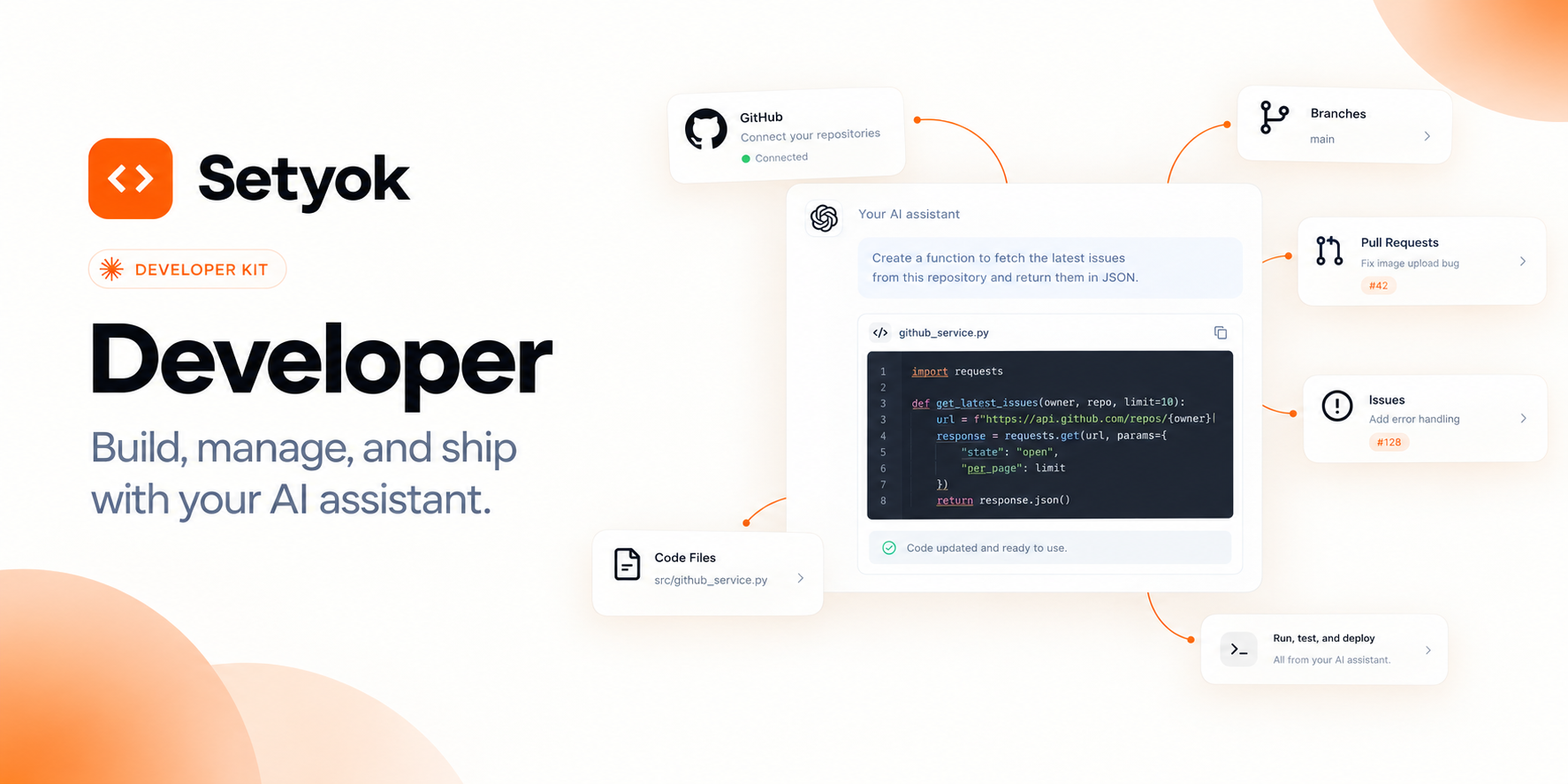
Read and write code, manage pull requests, create issues, search repositories, and ship faster directly from your AI assistant. Full GitHub access without leaving your chat.
Add Developer to your AI assistant with one click. No code, no setup.
Or connect manually with any MCP-compatible assistant
https://setyok.com/developer/mcp
Included tools
What it can do
Skill Readme
Get guidance on how to use produce the best output with this kit and its toos. Read this before using the tools or planning anything
Get My Profile
Get the authenticated GitHub user profile (login, name, email, avatar, public repo count, followers)
List Repositories
List repositories for the authenticated user
Search Repositories
Search GitHub repositories by keyword
Get File
Get the contents of a file in a repository
Create or Update File
Create or update a file in a repository. To update an existing file, the current file SHA must be provided.
List Branches
List branches in a repository
Create Branch
Create a new branch in a repository
List Commits
List commits in a repository
Get Commit
Get details of a specific commit including files changed
List Issues
List issues in a repository
Get Issue
Get details of a specific issue including body and comments count
Create Issue
Create a new issue in a repository
Add Issue Comment
Add a comment to an issue
List Pull Requests
List pull requests in a repository
Get Pull Request
Get details of a specific pull request including body, reviewers, and merge status
Create Pull Request
Create a new pull request
Merge Pull Request
Merge a pull request
Search Code
Search code across GitHub repositories
Run Command
Run a command on the computer and get the output.
Write File
Create or overwrite a file on the computer.
Read File
Read a file, optionally a line range. Pass offset (0-based first line) and/or limit (max lines) to page through large files. Returns the requested slice plus total_lines so you can request the next chunk.
Find Files
Find files matching a glob pattern (e.g. **/*.ts, src/*.js) under a directory. Supports * (within a path segment), ** (across directories), and ? (single char).
Search Files
Search file contents with a regular expression (or literal string). Returns matching lines with file and line number.
Edit File
Make an exact string replacement in a file. Replaces the first occurrence of old_string, or every occurrence if replace_all is true.
Web Search
Search the web for current information. Calls a hosted search endpoint (Exa/Parallel) directly over HTTP. Useful for current events and data beyond your training cutoff.
List Files
List the files in a folder on the computer.
Get Status
Check whether the computer is currently running.
Stop Computer
Shut down the computer and stop billing. Everything on it will be removed.
Your AI as a full-time GitHub collaborator
The Developer kit connects GitHub to your AI assistant via OAuth and gives it full read-write access to your repositories. Your AI can read code, write files, open pull requests, manage issues, and search across your entire codebase in one conversation.
This is not a search tool that only fetches information. Your AI can make real changes: edit files, commit to branches, open PRs, merge code, create issues, and comment on anything. It can see the full context of your repositories and take action based on it.
What your AI can do
Repository access:
- List all repositories you have access to, including private repos and org repos
- Search public repositories by keyword to explore open source projects
- Get your authenticated user profile and account details
Code reading and writing:
- Read any file in any branch, tag, or commit
- Create new files or update existing ones with a commit message directly to any branch
- List recent commits and get full diff details for any individual commit
Pull requests:
- List open, closed, or merged pull requests with filters
- Get full PR details including description, reviewers, merge status, and branch info
- Create a new pull request from any branch with title, body, base branch, and draft flag
- Merge pull requests with merge, squash, or rebase strategy
Issues:
- List issues filtered by state, labels, or assignee
- Get full issue details including body and metadata
- Create new issues with title, body, labels, and assignees
- Add comments to any issue
Code search:
- Search code across all your repositories or scoped to a specific repo
- Find function definitions, class names, patterns, or any text string
- Filter by language or repository to narrow results
Branches:
- List branches in a repository with details
- Create new branches from any ref (branch, tag, or commit SHA)
Real things you can do in one conversation
- "Read my main application file, find the bug causing the TypeError in the logs, fix it, and open a PR"
- "Summarize all commits to main in the last week into a changelog formatted for a release note"
- "Search all my repos for any hardcoded API keys or secrets and list the files"
- "List all open issues labeled 'bug', triage them by severity, and add priority labels"
- "Read the failing test, find what function it's testing, check the implementation, and push a fix"
- "Create a feature branch, write a new endpoint file, add a test file, and open a draft PR"
- "Check all open PRs and tell me which ones have merge conflicts or are more than 2 weeks old"
- "Find every place in the codebase that calls a deprecated function and list the files that need updating"
Why this kit vs. the GitHub tool directly
The Developer kit is the GitHub tool. It exists as a kit because coding workflows combine reading, understanding, and writing in the same session. Your AI reads the code, understands the problem, writes the fix, and ships it as a PR without you ever switching context.
Compatible AI assistants
The Developer kit works with any assistant that supports the Model Context Protocol:
- Claude (claude.ai and Claude Desktop)
- ChatGPT with custom connectors
- Open WebUI, Cursor, Windsurf, and MCP-compatible editors
- Any custom agent or workflow built on MCP
Getting started
- Copy your endpoint URL and token from this page
- Add the endpoint to your AI assistant under Settings or MCP servers
- Connect your GitHub account using the OAuth button above
- Ask your AI to explore your code: "List my repositories and summarize what each one does"
New Setyok accounts start with 100 free credits.
Add Developer to your AI assistant with one click. No code, no setup.
Or connect manually with any MCP-compatible assistant
https://setyok.com/developer/mcp
1,602
1
Other tools
Weather
Get current weather data for any city.
YouTube
Search YouTube, manage your channel videos, read comments, and get video analytics directly from your AI assistant.
Video Edit
Edit and transform existing videos with a text prompt. Change styles, apply effects, or reinterpret a scene using FLUX Video Edit.
Media Editor
Edit, convert, and transform audio and video files using FFmpeg. Stitch clips, overlay tracks, crop, cut, extract frames, detect silences, and more.
Google Ads
Manage Google Ads campaigns, get performance reports, and optimize your ad spend with AI.
FAQ
Use cases
- Ask your AI to review open pull requests, summarize the changes, and flag potential issues
- Have your AI create a bug report issue with full reproduction steps from a conversation
- Let your AI read a file, propose a fix, write the change, and open a pull request
- Ask your AI to generate a changelog by summarizing all commits since the last release tag
- Have your AI search across all your repos for a function, pattern, or TODO comment
- Let your AI triage incoming issues, categorize them, and add relevant labels and comments
- Ask your AI to check every open PR and tell you which ones need your review
- Have your AI read a failing test, find the bug in the source file, and push a fix commit
- Ask your AI to list all branches, summarize what each one is working on, and flag stale ones
- Let your AI propose a multi-file refactor, write all the changes, and open a draft PR for review
Keywords